Understanding the Concept of Selfie Mosaic
What is a Selfie Mosaic?
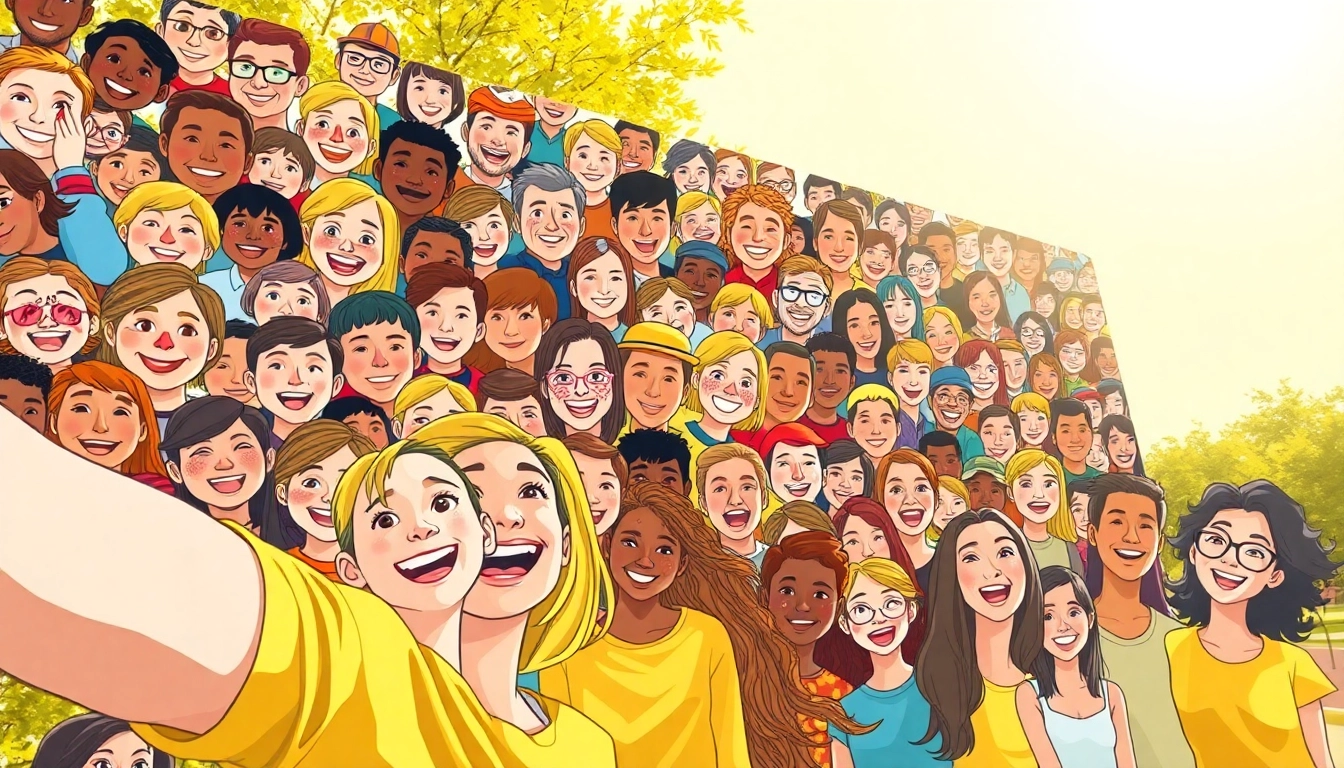
A selfie mosaic is a captivating form of digital art that creatively reinterprets individual photographs into a larger image using numerous smaller images. Typically created from selfies, this artistic representation aggregates these small visuals to form a larger and cohesive portrait. The visual impact can range from photographic pieces to abstract artworks, enticing viewers with their complexity and layered meanings. Through innovative software or manual crafting, anyone can create a stunning selfie mosaic that tells a personal story or celebrates an event, making it a popular medium for personal expression and art displays.
Historical Background and Development
The emergence of selfie mosaics coincides with the rise of digital photography and social media platforms. This form of art has roots in traditional mosaics, which date back to ancient civilizations, where artists would painstakingly assemble pieces of colored stone or glass to create intricate designs. By the early 21st century, as digital photography became ubiquitous, artists and tech-savvy individuals began experimenting with techniques to digitally construct these mosaics, culminating in the modern selfie mosaic. This development has enabled a large-scale participation in art creation, allowing anyone with a smartphone to contribute their images to artistic expressions.
Popular Uses of Selfie Mosaic
Selfie mosaics serve various purposes across different domains. Although primarily popularized on social media, they have found utility in several contexts:
- Personal Keepsakes: Many individuals create personalized mosaics for significant life events such as weddings, birthdays, or graduations, effectively compiling memories into a single artwork.
- Promotional Use: Brands and organizations use selfie mosaics as innovative marketing tools, enticing users to submit their photos for a collective artwork that reflects community engagement.
- Art Exhibitions: Artists often use mosaics to depict larger messages or themes, adding complexity and depth to their exhibits.
Creating Your Own Selfie Mosaic
Step-by-Step Guide to Collecting Images
The process of creating a selfie mosaic begins with gathering the right images. Follow these steps:
- Define Your Theme: Decide on the overall theme or image you want to create. This could be a single large portrait, an object, or an abstract design.
- Collect Selfies: Encourage friends, family, or online communities to submit selfies that align with your theme. Platforms like Instagram or Facebook can serve as sources.
- Ensure Quality: While diversity in images can add interest, ensure that the collected photos have similar quality and resolution.
- Organize and Prepare: Prepare your images by naming them systematically, and back up your files to avoid loss.
Choosing the Right Software for Design
The next key step in creating your selfie mosaic is selecting appropriate software. A variety of tools cater to different skill levels:
- Online Generators: Websites like Mosaic Maker offer user-friendly interfaces; you simply upload your images, select the main image, and generate your mosaic.
- Photo Editing Software: For more control, use advanced graphic design tools like Adobe Photoshop or GIMP. These allow for manual adjustments, custom layouts, and additional artistic effects.
- Mobile Apps: Various apps are available for smartphones that allow users to create mosaics on the go, providing convenience for quick creations.
Techniques for Optimal Image Placement
To achieve a visually appealing selfie mosaic, consider the following techniques:
- Color Matching: Select images that complement each other in terms of color schemes—this cohesion will enhance the viewed artwork.
- Contrast and Clarity: Utilize images with varying levels of brightness and contrast to create depth and dimension in your mosaic.
- Strategic Placement: Position larger images or focal points in areas where they can draw attention, while smaller images fill in supporting backgrounds.
Design Tips for an Eye-Catching Selfie Mosaic
Color Coordination and Theme Selection
Effective color coordination can significantly enhance the visual impact of your mosaic. Start by defining the colors associated with your theme. Tools like color palettes can aid in selecting complementary colors, ensuring that the overall artwork feels unified and intentional.
Incorporating Patterns and Textures
Patterns and textures can add an intriguing dimension to your selfie mosaic. When selecting images, look for those that introduce diverse textures, such as fabric, nature, or architecture, which can provide layers of interest. Experimenting with different patterns can also enhance the vibrancy, leading to more dynamic outcomes.
Balancing Image Quality and Size
One of the challenges in creating a selfie mosaic is balancing the quality and size of the images used. While large images can provide a striking visual impact, they can also overshadow smaller images. Aim for a mix of sizes and ensure all images are high-resolution to maintain clarity, particularly when viewed up close or in print.
Displaying Your Selfie Mosaic
Best Formats for Print and Digital Use
Deciding on the format for your selfie mosaic greatly depends on its intended use. For print, high-resolution JPEG or TIFF formats are preferred to maintain quality. If showcasing online, consider using optimized PNG formats that balance quality and file size for quicker loading times. Additionally, social media platforms may offer specific dimensions that are conducive for optimal display.
Creative Ways to Showcase Your Artwork
Showcasing your selfie mosaic does not have to be conventional. Here are some innovative ideas:
- Gallery Walls: Create a gallery-style display by printing various mosaics and framing them as part of a larger art exhibit at home.
- Digital Frames: Use a digital photo frame to rotate through different mosaics, bringing change and excitement to your space.
- Social Media Integration: Share your mosaic creations on social media platforms, using relevant hashtags to encourage interaction and engagement.
Preservation Techniques for Long-lasting Mosaics
To preserve the integrity of your selfie mosaic for years to come, consider these preservation methods:
- Quality Printing: Choose archival-quality ink and acid-free paper for prints to ensure longevity and resistance to fading.
- Framing: Opt for UV-protective glass when framing to prevent discoloration and damage from sunlight exposure.
- Digital Backups: Always keep a digital backup of the original mosaic files in multiple formats and locations to safeguard against data loss.
Common Challenges and Solutions in Selfie Mosaic Creation
Managing Image Quality and Resolution
Maintaining quality while juggling multiple images can be challenging. It is crucial to use high-resolution images as your base. Compressing files appropriately while maintaining resolution is key; software settings often provide options that can assist in achieving this without compromising quality.
Dealing with User Privacy Concerns
Privacy is an ongoing concern when using images of individuals. It is essential to obtain permission from anyone whose selfie you intend to use. Alternatively, create self-selecting projects where individuals voluntarily submit images, ensuring everyone understands how their images will be used.
Tips for Boosting Engagement on Social Media
To garner interest in your selfie mosaics on social media, employ the following strategies:
- Interactive Posts: Invite followers to contribute images with specific themes or prompts, fostering community involvement.
- Hashtags and Challenges: Utilize trending hashtags and initiate challenges to encourage sharing and user-generated content focused on your mosaics.
- Behind-the-Scenes Content: Share the creation process through time-lapse videos or step-by-step photo tutorials to engage your audience and showcase your expertise.
Frequently Asked Questions (FAQs)
What types of images work best for a selfie mosaic?
Images with clear features and vibrant colors generally work best, creating impactful mosaics. It's also beneficial to have a mix of images in terms of size and perspective.
How long does it take to create a selfie mosaic?
The time varies based on the complexity and size of the project. Preparing images and using software can take from a few hours to a couple of days for larger compilations.
Can I create a selfie mosaic using mobile apps?
Absolutely! Many mobile apps are designed for creating mosaics, making it easy to create art on the go with your smartphone.
Do I need artistic skills to make a selfie mosaic?
No artistic skills are required! With the right tools and software, anyone can create visually stunning mosaics using their images.
Is there a limit to the number of images I can use?
While technically there isn't a strict limit, using an excessive number of images can complicate the process. It's advisable to strike a balance for optimal visual impact.